


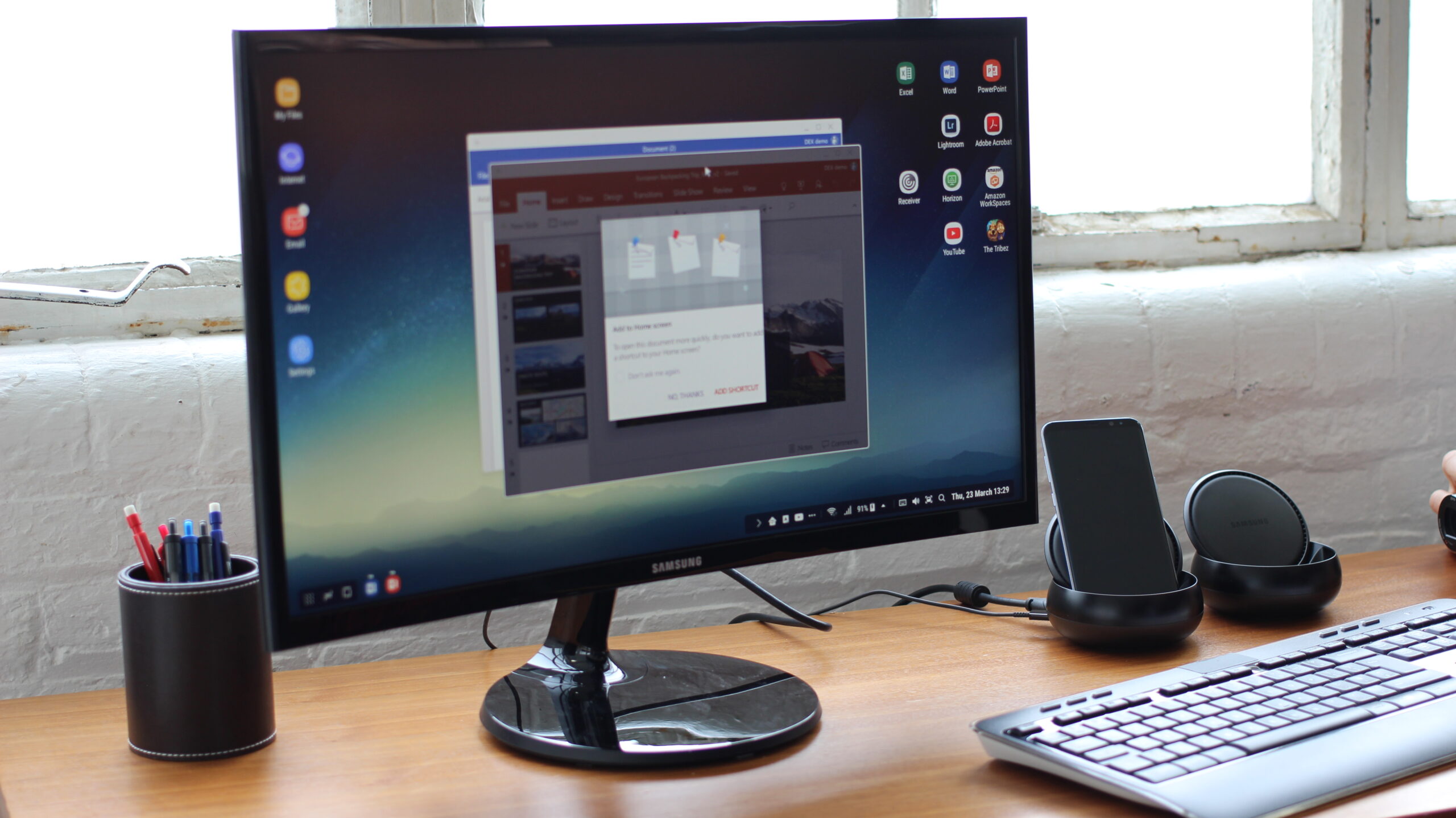
I’ve been following Android Desktop Mode since Samsung launched DeX on the Galaxy S8 in 2017. Back then, it was a Samsung-only party. Fast forward to 2026 and the situation has changed dramatically — Android Desktop Mode is now a platform-level feature built into Android 15 and 16, and the list of supported phones is longer than most people realise.
If you’re wondering which phone to buy for a mobile-only setup, or whether the phone already in your pocket qualifies, here’s the complete picture.
What Is Android Desktop Mode?
Android Desktop Mode is a feature that turns your phone into a desktop computer when connected to an external display. Windowed apps, a persistent taskbar, keyboard and mouse support — the core experience of a PC, running entirely from your smartphone.
The key technical requirement is DisplayPort Alt Mode over USB-C — the protocol that lets your phone output video through its USB-C port to a monitor, dock, or lapdock. Not every USB-C port supports it, which is why not every Android phone qualifies. Android 15 made desktop mode a first-class system feature for all compatible devices. Android 16 is taking it further still.
Samsung Galaxy — The Gold Standard of Android Desktop Mode
Samsung’s phones have supported Android Desktop Mode the longest, and still do it best through Samsung DeX. Any Galaxy S, Z, or Tab with a USB-C port and a flagship chipset supports full DeX:
- Galaxy S8 onwards — wired DeX; wireless DeX from S10
- Galaxy S25 Ultra, S25+, S25 (2026) — current flagship, best DeX experience available
- Galaxy S24, S23, S22 series (all variants)
- Galaxy Z Fold 3 onwards — Fold 5 and Fold 6 particularly strong
- Galaxy Tab S8, S9, S10 series
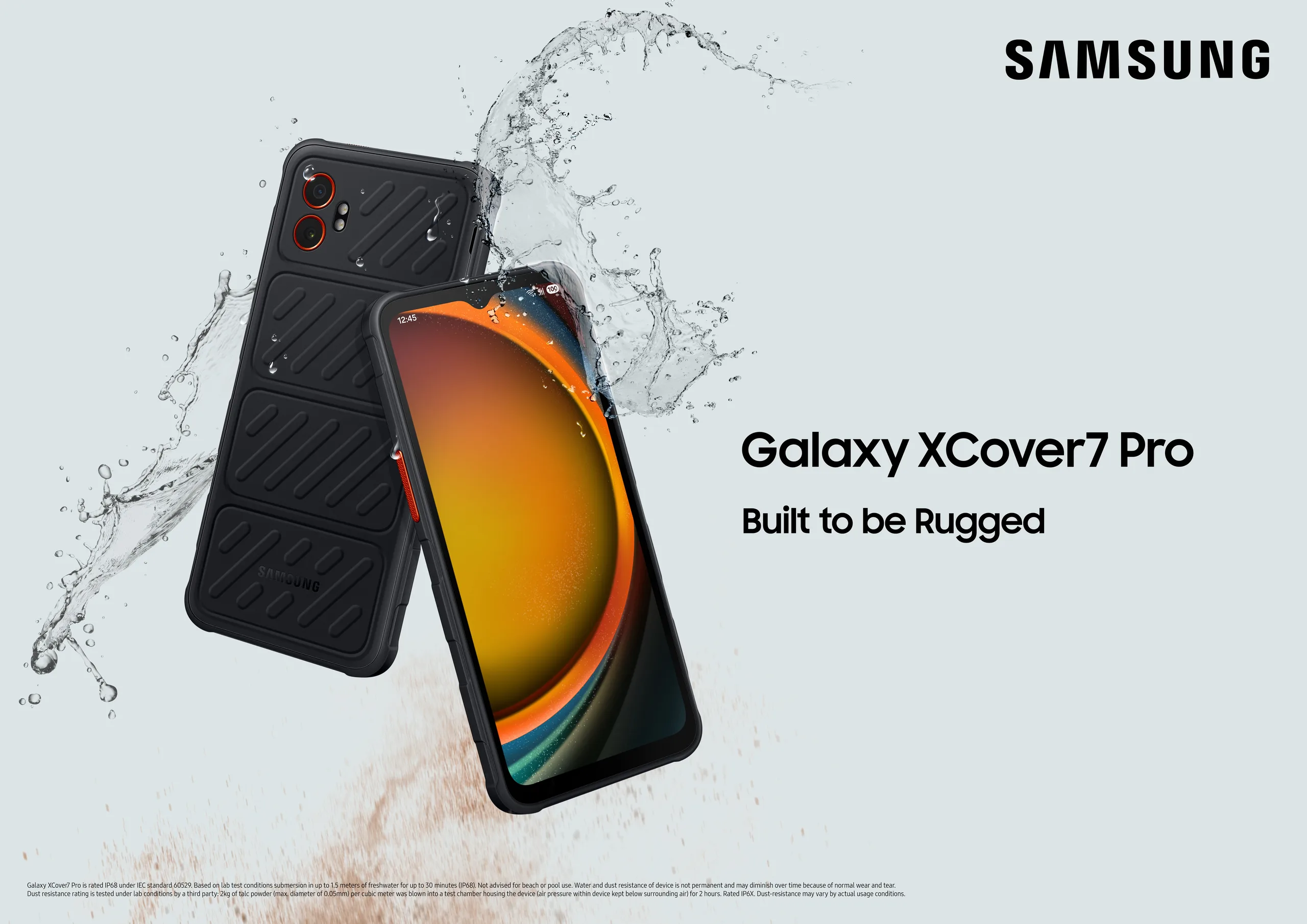
- Galaxy XCover 6 Pro, XCover 7 Pro — rugged enterprise models with full DeX
The experience is mature: 4K external display support, resizable windowed apps, drag-and-drop between windows, clipboard sync. I’ve run Samsung DeX daily for years — it remains the most complete implementation of Android Desktop Mode available anywhere.
If you’re new to the ecosystem, my guide to the best lapdock for Samsung DeX in 2026 covers exactly which accessories complete the setup — and which ones to avoid.
Google Pixel — Android Desktop Mode on Stock Android
Google added desktop mode as a proper system feature with Android 15, making Pixel the first non-Samsung manufacturer to ship it natively. The Pixel 8a is particularly interesting here — it’s the most affordable phone with confirmed Android Desktop Mode support, which is exactly why I’ve seen “Pixel 8a desktop mode” trending in search over the past few months.
Supported Pixel models in 2026:
- Pixel 9 Pro, 9 Pro XL, 9 Pro Fold — best Pixel desktop mode experience
- Pixel 9 — confirmed DP Alt Mode
- Pixel 8a — most affordable entry point with desktop mode
- Pixel 8, 8 Pro — fully supported
- Pixel 7, 7 Pro — supported with Android 15 update
The Pixel desktop experience is clean but less polished than Samsung DeX. Fewer integrated features, less ecosystem depth. But it’s improving rapidly — Android 16 brings notably better freeform window management and a more capable taskbar.
Motorola Ready For — A Serious DeX Alternative
Motorola’s Ready For platform is their answer to Samsung DeX, and it’s genuinely impressive for what it is. It delivers a full windowed desktop UI with proper mouse and keyboard support. Supported models include:
- Motorola Edge 50 Pro, Edge 50 Ultra
- Motorola ThinkPhone — enterprise-grade, fully DeX-competitive in desktop mode
- Motorola Edge 40 series (select models)
The ThinkPhone deserves a special mention. It’s designed specifically for enterprise deployments and the Ready For desktop mode experience is the closest thing to Samsung DeX from any third-party manufacturer. If your organisation isn’t locked into Samsung, it’s worth evaluating seriously.
Other Android Phones with Desktop Mode in 2026
A broader group of manufacturers has added desktop mode implementations, with varying levels of polish:
- ASUS ROG Phone series — desktop mode focused on gaming workstation use when docked
- OnePlus flagships (OxygenOS) — desktop mode on select models with DP Alt Mode
- OPPO Find series (ColorOS) — PC Connect desktop mode on recent flagships
- Xiaomi flagships — desktop mode available on select HyperOS devices
The Android 15 and 16 system-level desktop mode means any phone running Android 15+ with DP Alt Mode can technically trigger a desktop session. Quality varies significantly — Samsung and Motorola have invested years of polish, while others are more experimental. For a production workflow, I’d stick to Samsung, Pixel, or Motorola.
What You Actually Need to Use Android Desktop Mode
The phone is half the equation. The other half is the accessory that connects it to a screen — and this is where a lot of people trip up.
Option 1: Lapdock (all-in-one, best for travel)
A lapdock is a laptop shell with no processor of its own — screen, keyboard, trackpad, and internal battery. Plug in your phone and it runs the desktop session. This is my preferred setup for field work and travel: one device in your bag handles everything. Browse the lapdock collection at mobile-only.com — every model listed is curated and confirmed compatible with Samsung DeX and Android Desktop Mode, so you’re not guessing.
Option 2: USB-C hub + monitor (desk setup)
For a fixed workstation, a USB-C hub connects your phone to a monitor, keyboard, and mouse. This is cheaper than a lapdock and works well for desk-first setups. Check the USB-C hub selection at mobile-only.com — generic hubs often fail to trigger desktop mode reliably, so using a validated option saves real frustration.
Option 3: Wireless (Samsung DeX only)
Wireless DeX works on Galaxy S10 and later via Miracast — no cable at all. The phone stays in your pocket; the desktop session runs on any compatible wireless display. Latency is slightly higher than wired, but for presentations and casual sessions it’s seamless.
The Bottom Line: Which Phone Should You Buy?
Android Desktop Mode in 2026 is no longer a Samsung-exclusive feature. But Samsung Galaxy phones still offer the most mature, most reliable desktop mode experience — seven years of development shows. If you’re building a mobile-only workstation from scratch, here’s my honest recommendation by use case:
- Best overall: Samsung Galaxy S25 — full DeX, best app ecosystem, widest accessory support
- Best value entry point: Google Pixel 8a — confirmed DP Alt Mode, affordable, improving fast
- Best for enterprise: Motorola ThinkPhone — Ready For platform, enterprise security, DeX-competitive
- Best rugged: Samsung Galaxy XCover 7 Pro — DeX on a ruggedised chassis, field-deployment ready
Whatever phone you choose, the mobile-only setup is only complete with the right accessory connecting it to a screen. A confirmed-compatible lapdock or USB-C hub is the difference between a frustrating experiment and a genuine daily driver. Start at mobile-only.com — everything is curated specifically for Android Desktop Mode use.
For a deeper look at how Samsung DeX desktop mode has scaled to full enterprise deployments, see my writeup on how the Chicago PD built a 10,000-device DeX fleet — the same Android Desktop Mode principles at production scale.
Google’s official documentation on Android desktop windowing is worth bookmarking too — it lists which APIs developers need to implement for proper desktop mode support, which tells you a lot about which apps will actually behave well in a windowed session.
Take care,
Yanis@MiraLab


2 Comments
Your comment is awaiting moderation.
I have been trying to understand my color season, but the results keep shifting between two neighboring palettes. One tool places me in Soft Summer while another leans toward Soft Autumn. My skin is fairly neutral and both muted ranges seem plausible in indoor light. I compared several photos but camera settings may be influencing what I see. Before ordering more clothes I would like a more repeatable way to compare the options. [url=https://seasonal-palette.top]seasonal palette test[/url] could give me a structured starting point rather than a final verdict. Would you treat undertone as the first clue or compare chroma and contrast before temperature? I can compare a few plain shirts so I am happy to do a careful home check. A bright window gives neutral light and I can keep the camera exposure fixed. What evidence would make you confident that one muted season is more accurate than the other? I am looking for repeatable comparisons from people who have worked through a similar overlap. One remaining concern is avoiding changes caused only by camera white balance. I am also curious how many comparisons are usually enough before a pattern becomes clear. I appreciate any suggestions
Xiaomi doesnt have desktop mode on flagships like xiaomi 15.
Which has android 16, that natively supports desktop mode…
They do
https://liliputing.com/xiaomis-pc-mode-turns-android-into-a-desktop-os-on-the-mi-mix-fold/