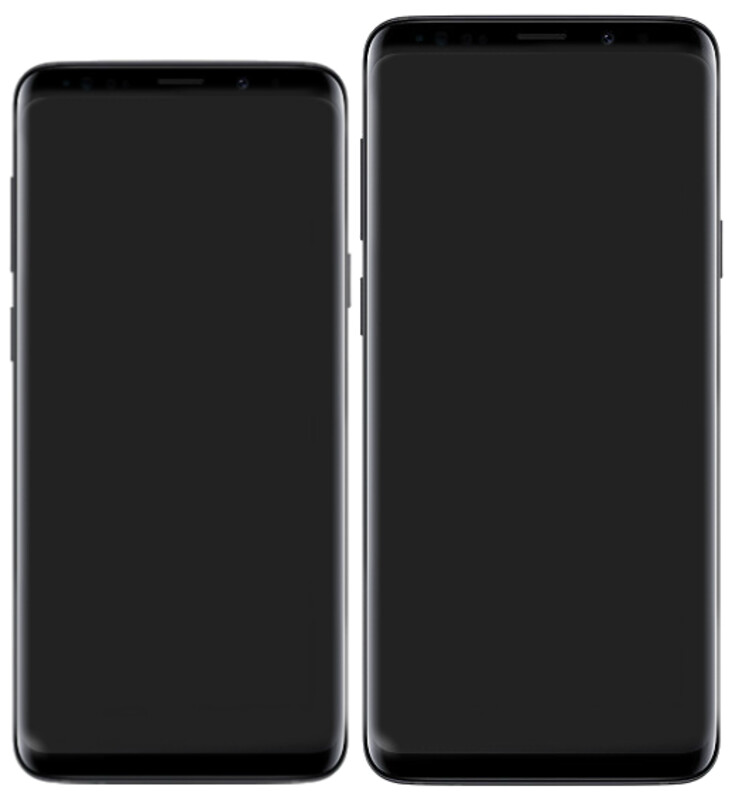
The Samsung Galaxy S9+ is the one that almost everyone who actually lived with early Samsung DeX ended up choosing. Where the standard S9 made a compelling case for the platform, the S9+ made it practical — 6GB of RAM instead of 4GB, a dual camera system, a larger 6.2″ screen, and a noticeably bigger battery all pointed toward a device that meant business.
I’m Yanis, founder of MiraLab. I’ve been building and testing mobile-only setups since the first DeX Station shipped. The S9+ remains one of my favourite reference points when explaining to people why Samsung DeX was always the right idea — just a few years ahead of the software ecosystem catching up.
Samsung DeX on the Galaxy S9+: The Bigger, Better Pioneer
Like its sibling the S9, the Samsung Galaxy S9+ launched in March 2018 alongside the DeX Pad — a refined, flat dock that was simultaneously a wireless charger and a DeX trigger. But where the S9 and S9+ are identical in terms of DeX software capability, they are not identical in how well DeX actually runs.
That extra 2GB of RAM makes a real difference in the windowed, multitasking desktop environment:
- Two resizable browser windows side-by-side becomes genuinely comfortable
- Samsung Notes and Samsung Internet can run concurrently without the memory manager killing background tabs
- You can keep a music streaming app running while doing actual work, without it getting dropped
- The dual 12MP rear cameras (wide + 2× telephoto) make the S9+ a more complete device when you step away from the desk
The S9+ ships with the same Snapdragon 845 (US) or Exynos 9810 (global) as the S9, so raw processing power is identical. The difference is staying power — the S9+ does not start showing memory pressure as quickly during a real work session. If you are going to spend two or three hours in DeX doing actual work, that margin matters.
One note that carries over from the S9: wired DeX only. Wireless DeX arrived with the Note 10 and S10 generation. The S9+ needs a physical connection — a DeX Pad, a USB-C to HDMI adapter, or a lapdock — to trigger the desktop interface. Once you have planned for that, it is a non-issue.
For the bigger picture of how DeX phones like the S9+ fit into the mobile-first computing story, I covered a landmark real-world deployment in my piece on how Chicago PD adopted Samsung DeX at scale — early wired DeX devices like the S9+ were the foundation of deployments like that one.
How to Use the Galaxy S9+ with a Lapdock
A lapdock gives you the S9+’s DeX desktop inside a laptop-shaped shell — keyboard, trackpad, screen, and (on most models) USB-C power delivery, all in a single cable. It is the cleanest way to go fully mobile-only.
Option 1: USB-C lapdock (DisplayPort Alt Mode)
The S9+ supports DisplayPort Alt Mode over USB-C. A compatible lapdock connected with a good USB-C cable will detect the phone and launch DeX automatically. One cable handles video output, input devices, and charging simultaneously — this is the setup I would recommend to anyone who wants a truly cable-minimal desk.
Browse the lapdock collection at mobile-only.com — they list Samsung DeX compatibility per model, which matters because some lapdocks are more reliable than others with the USB-C negotiation the S9+ expects. Confirmed compatibility saves you from an expensive return.
Option 2: DeX Pad + HDMI lapdock
If your lapdock has an HDMI input, you can route through a DeX Pad as the bridge: phone into DeX Pad, HDMI out to the lapdock display. The lapdock’s keyboard and trackpad handle all input. More cables, but it works reliably with older lapdock hardware.
Desk setup: USB-C hub with HDMI
For a stationary workstation, a USB-C hub gives you flexibility to connect to any monitor, USB-A ports for peripherals, and power delivery passthrough. The Samsung DeX dock selection at mobile-only.com includes options specifically validated with early DeX hardware, which takes the guesswork out of it.
Best DeX Accessories for the Samsung Galaxy S9+
Beyond the lapdock itself, a few accessories round out a proper S9+ DeX setup:
- Bluetooth keyboard and mouse — the DeX Pad lets the phone’s screen act as a trackpad, but a dedicated Bluetooth mouse is more comfortable for extended sessions
- USB-C cable quality matters — for DisplayPort Alt Mode, not all cables are equal; use a USB-C 3.1 Gen 2 or Thunderbolt-spec cable for reliable video output at full resolution
- MicroSD card — the S9+ supports up to 400GB expansion; in DeX, those files are accessible through Samsung My Files exactly like a desktop file manager
- Battery pack — since DeX runs wired, a high-wattage USB-C power bank can keep you running without being tethered to the wall
The S9+ also benefits from Samsung’s wider ecosystem: SmartThings, Samsung Pay, and Bixby Routines all work alongside DeX, meaning the phone does more than just the desktop interface. That whole-device integration was ahead of where the competition was in 2018.
My Take: Is the Galaxy S9+ Still Worth Using for Samsung DeX in 2026?
Here is my honest assessment:
If you already own a Galaxy S9+ — plug it into a monitor this weekend. The 6GB RAM holds up for light-to-medium productivity work, and the DeX interface still makes intuitive sense to anyone who has used a desktop OS. You will hit the software ceiling (Android 10, security patches ended 2021) before you hit the hardware ceiling.
If you are shopping second-hand specifically for DeX — the S9+ is more interesting than the standard S9, but I would still point you toward a Galaxy S22 or S23. You gain wireless DeX, meaningfully longer software support, and a performance jump that shows in everyday DeX multitasking. The price gap on the second-hand market is usually smaller than people expect.
That said, the S9+ deserves genuine respect. It is the device that showed Samsung’s flagship-buyer segment that DeX could be a real productivity tool, not just a trade-show demo. Samsung’s DeX platform has come a long way since 2018 — and the S9+ is a meaningful part of why it kept going.
If you are building a mobile-only setup around any Samsung DeX phone, the accessories make or break the experience. A well-matched lapdock or USB-C hub turns a capable phone into an actual daily driver. Start there, and the hardware will almost certainly surprise you.
Take care,
Yanis@MiraLab