If there’s one thing I’ve learned from years of running a mobile-only setup, it’s this: the right Samsung DeX accessories are what separate a frustrating experiment from a genuinely useful daily driver. Your Galaxy phone is already capable enough. What it needs is the right gear around it.
I’ve tested a lot of accessories in this space — too many, honestly. Some are overpriced for what they do. Some promise DeX compatibility and deliver nothing but a charging loop. This is my honest, tested list of the best Samsung DeX accessories you can buy in 2026, organised by what actually matters in a real workflow.
What Makes a Good Samsung DeX Accessory?
Before getting into the list: the single most important criterion for any Samsung DeX accessory is whether it correctly triggers DeX when your phone is connected. This sounds basic. It is not.
Not every USB-C dock, hub, or cable will actually launch DeX. Some will just charge your phone. Others will mirror the phone display instead of switching to the windowed desktop environment. Samsung DeX requires DisplayPort Alt Mode over USB-C — and a lot of cheap accessories silently lack it.
The second criterion is Power Delivery passthrough. Running a DeX session with the screen on is power-intensive. You want the accessory feeding power back to the phone while the session runs, otherwise you’re draining the battery the whole time.
With that in mind — here’s what I’d actually recommend.
The Best Samsung DeX Accessories in 2026
Lapdocks — The Complete Mobile-Only Setup
A lapdock is the single best Samsung DeX accessory you can own if you need to work away from a desk. It’s a laptop shell with no processor of its own — screen, keyboard, trackpad, and battery, powered entirely by your phone over one USB-C cable. Connect your Galaxy and DeX launches automatically. You go from pocket to full desktop in about five seconds.
The form factor is what makes it special. You’re not managing a bag full of separate accessories. One device. One cable. A real working environment wherever you are.
I’ve tested multiple lapdock models and the range available at mobile-only.com’s lapdock collection covers the main categories well: all-rounders, travel-light options, and touch-enabled models. Every listing there has been validated for Samsung DeX compatibility, which matters because some lapdocks on the wider market fail the DisplayPort handshake quietly.
For a deep comparison of specific models, my Best Lapdock for Samsung DeX in 2026 guide covers exactly which hardware earns a recommendation and why.
Samsung DeX Docks — For Desk-First Users
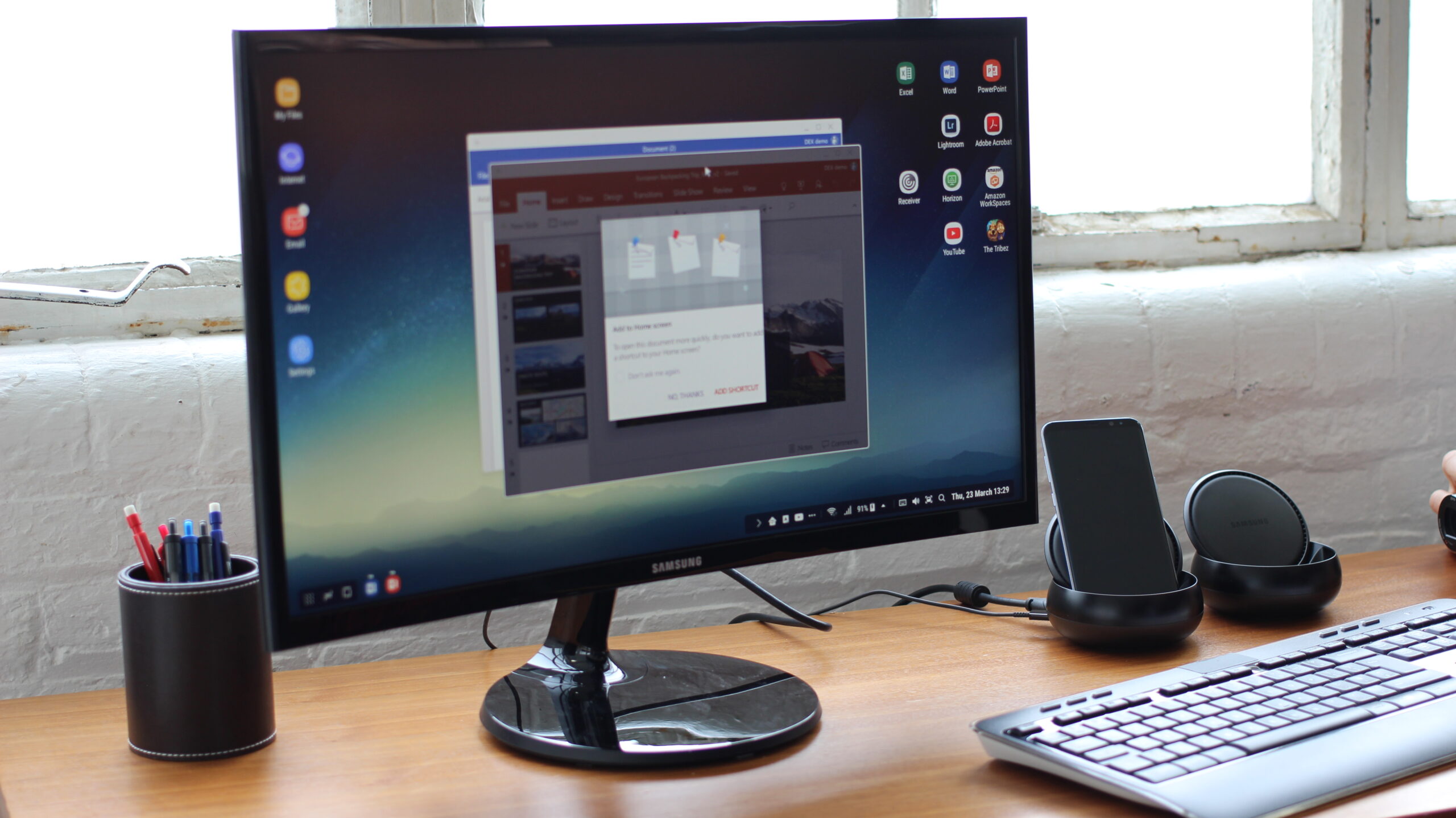
If you work from a fixed desk setup — one location, a proper monitor, a full keyboard — a DeX dock makes more sense than a lapdock. Plug in once and you get HDMI out to a monitor, USB-A ports for keyboard and mouse, ethernet for a stable wired connection, and Power Delivery charging back to the phone. One cable from phone to dock; the dock handles everything else.
The key is buying a dock that has been tested with DeX specifically. Generic USB-C hubs with HDMI out often work, but some fail to trigger the desktop mode or have Power Delivery bugs that drain the phone instead of charging it. The Samsung DeX docks at mobile-only.com are curated for exactly this — you know what you’re getting before it ships.
USB-C Hubs — The Flexible Mid-Point
A good USB-C hub sits between a lapdock and a dedicated dock. You’re connecting the phone to an existing monitor or TV via the hub, adding keyboard and mouse through the hub’s USB-A ports, and running it all on a single USB-C connection from the phone. It’s cheaper than a lapdock, more flexible than a dock, and works well if you already have a screen.
The same DeX-compatibility rule applies: make sure the hub explicitly supports DisplayPort Alt Mode. The spec sheet should say it. If it doesn’t, assume it won’t work for DeX.
Keyboard and Mouse — Don’t Overthink It
Any standard Bluetooth keyboard and mouse will work with Samsung DeX. No proprietary pairing, no adapter required. DeX supports Bluetooth HID devices natively and most mainstream keyboards pair in under 30 seconds.
My one opinion here: go for a compact 65% or 75% layout keyboard if you’re travelling with this setup. It takes up significantly less bag space and pairs naturally with a lapdock for sessions away from home. At a fixed desk, a full-size layout with a numpad is perfectly reasonable.
Wired keyboards work too, via the hub’s USB-A ports, if you prefer to avoid battery management on the peripherals. In a desk setup this is often the cleaner choice.
USB-C Cables — The Accessory Everyone Gets Wrong
I’ll say this once, plainly: not all USB-C cables carry video signals. Most cheap USB-C cables are charge-only or USB 2.0 data cables. They look identical to a proper cable. They will not trigger Samsung DeX.
For wired DeX to a monitor or dock, you need a cable explicitly rated for DisplayPort Alt Mode or Thunderbolt 3/4. Look for USB 3.1 Gen 1 or Gen 2 cables from reputable brands. The cable is the component people spend least time on and replace most often after a frustrating first session.
According to Samsung’s official DeX page, wired DeX requires a USB-C cable that supports DisplayPort Alt Mode — and that’s the spec to match, not the price tag.
My DeX Accessories Setup in 2026
For what it’s worth, here’s how my own setup looks right now:
At my desk: Galaxy connected to a USB-C dock, HDMI out to a 27-inch monitor, Bluetooth keyboard and mouse, ethernet through the dock. I disconnect from the desk by unplugging one cable. That’s it.
On the road: a lapdock in the bag. Phone connects, DeX launches, I’m working inside two minutes of sitting down anywhere. The same apps, the same data, the same workflows — the phone moves between both setups without any configuration change.
This is the mobile-only premise in practice. One device, two form factors. The accessories make it real. Without them, you have a capable phone. With the right ones, you have a genuine workstation that fits in a pocket.
If you’re building this setup for the first time, start with the accessory that fits your primary working context — lapdock if you’re mobile, dock if you’re desk-first. Add the other later as the workflow grows.
Everything I’d recommend is curated and available at mobile-only.com — built specifically for people running DeX as a production workflow, not casual experimenters.
Take care,
Yanis@MiraLab